

Online shopping safety starts with one simple idea: protect every checkout. If you’re asking, “Is it safe to buy online?” – the answer is yes. That is, when you use tools like 3D Secure and avoid common traps. In this guide, you’ll learn secure online payment habits that keep your money and data safer.
What is 3D Secure, and why do you need it?
The Basics of 3D Secure (3DS)
3D Secure is an additional security layer for online card payments. Think of it as a short conversation between three parties:
The online store,
your bank (the card issuer),
the card network / 3DS infrastructure that connects them (the “interoperability” domain).
That’s why it’s called “3D.” It refers to three domains that interact to perform the security check.
Originally developed by Visa, the protocol has evolved into 3DS 2.0, which is much smoother than the old pop-up windows of the early 2000s.
In practice, this is when a small window pops up, or your banking app sends a push notification asking you to confirm the purchase. Sometimes, it can also be “frictionless” (no extra step) when the issuer considers the payment low-risk.
It’s a form of two-factor authentication (2FA): something you have (your phone or banking app) and/or something you are (biometrics), rather than just re-entering card details.
You have definitely seen it at least once, a pop-up window with Verified by Visa / Mastercard Identity Check, where you approve the payment in your bank app or enter a one-time code – that is 3D Secure.
This extra step massively improves the security of online payments because even if someone steals your card number and CVV code, they still often can’t complete the payment if 3DS authentication is required without your approval.
Evolution: from static passwords to 3DS 2.0
Technically, 3D Secure is no more: now it’s called 3DS 2.0.
If you shopped online 10–15 years ago, you probably remember how painful the 3DS used to be. That was 3DS 1.0 – static passwords you forgot instantly, clunky redirect pages, and broken layouts.
Today, we have 3DS 2.0, and it’s a totally different experience. Most of the time, it’s invisible. Banks analyze risk in the background: device, location, behavior, transaction history. If everything looks normal, the payment goes through without interruption.
If something looks suspicious, then you’ll see Face ID, fingerprint, or a quick in-app approval. This frictionless approach makes 3D Secure far more effective and much less annoying – which is exactly how security should work.
Specific brand names
Although Visa was a pioneer in security protocols, you might see different names depending on your card brand, but they all mean the same thing:
Visa Secure (it was rebranded from Verified by Visa)
Mastercard ID Check
American Express SafeKey
These are just branded versions of 3D Secure. Different logos, same protection, same goal: safer online shopping and fewer chargebacks.
Open an account
in Genome online
5 common online shopping mistakes to avoid
If you repeat the question “Is it safe to buy online?” now we can surely say – yes, just don’t do this:
Ignoring the URL (The “typosquatting” trap)
One of the oldest tricks in the book, yet it is still effective.
Mistake: clicking on amaz0n.com instead of amazon.com, or some weird extra-dash version of a real store. These fake websites for phishing scams often look identical to the original.
Tip: Never follow suspicious links to a website that is sent to you from an unverified source, or that look fishy online (on Facebook, WhatsApp, email, etc.). Always check the domain name. Real brands usually don’t use extra “random-looking” characters that don’t match their official domain.
If you are not sure, don’t click the link: type the address yourself (or use a saved bookmark). If you use Google, be careful with sponsored “Ad” results and still verify the domain before clicking. This single habit can significantly improve online shopping safety.
Buying when you use public Wi-Fi without a VPN
Coffee shops, airports, hotels – free Wi-Fi everywhere. But you can’t ignore the public Wi-Fi dangers.
There is no better place to put free Wi-Fi attacks than an airport or another high-density place. Just accept this: when you use public Wi-Fi, avoid online payments, transactions, or bank authorizations unless you really have to.
Attackers can set up fake “evil twin” hotspots, sniff insecure traffic, or redirect you to phishing pages to steal credentials.
Tip: Use mobile data (4G/5G) or tether to your phone. It’s generally safer than open public Wi-Fi (but still stay alert for phishing).
If you must use public Wi-Fi, a reputable VPN can help protect your connection (it’s helpful, not magic).
Saving your card details everywhere
“Save card for future purchases” sounds convenient… until the store gets hacked or your account gets taken over.
One of the biggest mistakes: letting every random webshop store your card data.
Tip: Use guest checkout unless it’s a major, trusted platform. Fewer saved cards means less exposure if databases leak. This is a rule of secure online payment hygiene.
Falling for “too good to be true” social media ads
Luxury sneakers for 90% off? Brand-new iPhone for $199? Sounds suspicious.
Mistake: trusting flashy Instagram or TikTok ads without checking the store. Many of these lead to phishing scams or outright fake websites.
The danger here is that you can get scammed or phished even with minimal interaction. In rarer cases, “drive-by downloads” can happen if a site/ad exploits an unpatched browser. This is why keeping your device updated matters.
Tip: Search the brand/vendor name and double-check the domain. If you use Google, watch for sponsored “Ad” results and still verify the real site before buying.
To verify if a deal is legitimate, use reverse image search on the product photos; if the same image appears on dozens of unrelated, sketchy-looking sites, it is likely a scam template rather than a real storefront.
Debit cards vs. credit cards dilemma
Some countries have a distinct banking culture in which credit cards are far more common than debit cards.
In Europe, Strong Customer Authentication (SCA) is often required by law for electronic payments. And it applies to both debit and credit cards (it’s not “debit-only”).
But it also has a price – onboarding to become a bank’s client can vary a lot: often minutes to days for individuals, and longer for companies, depending on checks and complexity.
If you want a universal safety starter pack, open a special bank account for shopping and link a debit or credit card, or even a virtual card, to it.
Tip: Use credit cards whenever possible if you want extra purchase protections in your country/issuer setup. Also, in the EU, your liability for unauthorised payments is generally capped at €50 unless there’s fraud/gross negligence.
And chargebacks exist for both debit and credit cards under the scheme rules, but it’s not a guaranteed legal right everywhere.
Advanced safety tools for 2025
Virtual cards
A virtual card is one of the best upgrades you can make for online shopping safety.
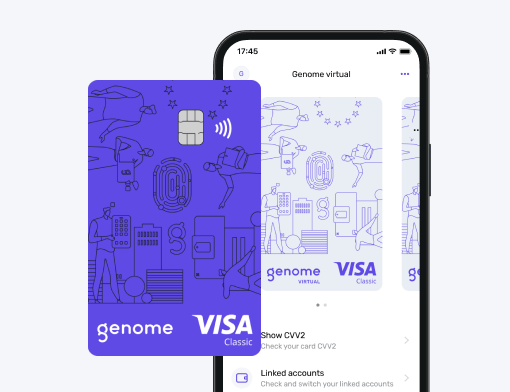
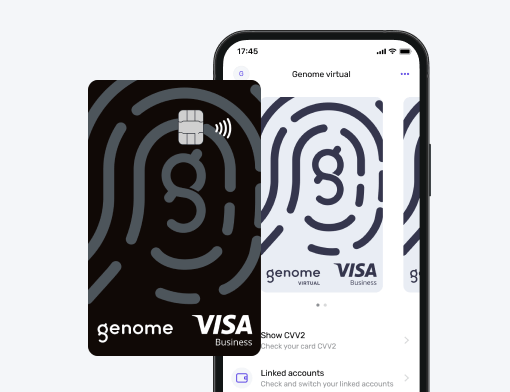
Payment providers like Genome let you generate virtual cards for separate expenses. The best part – it is digital and can’t be physically stolen.
This is especially powerful for subscriptions, free trials, for children, and unfamiliar shops. If you want a really secure online payment tool, it.
Password managers
If you’re still using the same password everywhere, stop. Now.
Password managers generate strong, unique passwords and securely store them. This reduces the risk of account takeovers and identity theft if a single site is breached.
Enable push notifications
Real-time alerts are underrated.
The second a suspicious charge appears, you know about it. You can freeze the card instantly and limit damage. Combined with two-factor authentication (2FA), this is one of the strongest defenses available today.
How to check if a website is legit
The padlock: HTTPS and SSL
Always look for the lock icon in the browser. The padlock icon in a web browser indicates that a website uses HTTPS and that your connection to the site is encrypted (in transit), but it does not prove the website itself is legit or “safe.”
HTTPS (Hypertext Transfer Protocol Secure) is the secure version of HTTP that uses TLS (often still casually called “SSL”) encryption to protect data in transit between a web browser and a server.
It doesn’t guarantee complete security, but if a site doesn’t have HTTPS, don’t enter passwords or payment details, is a big red flag in 2026.
Note: depending on your browser, you may not always see a padlock (for example, Chromium Blog explains Chrome moved away from the lock icon).
Check the “contact us” and returns policy
Scam stores hate details. Usually, they don’t make a fully functional website (it costs money). No contacts and refund policy tab will definitely be a sign of something sketchy.
No real address, no phone number, or a suspicious copy-paste returns policy, that’s a red flag. Many fake websites reuse the same generic text.
Trustpilot and review checking
Never trust reviews hosted only on the site itself.
Search the brand name plus “reviews” externally. Trustpilot, Reddit, forums – anywhere but their homepage. A mix of good and bad reviews is actually healthier than perfect scores.
Also: watch for fake review patterns (lots of 5-star reviews posted around the same dates, same wording, etc.).
Shop securely with Genome
Genome is an electronic money institution licensed and supervised by the Bank of Lithuania. We offer a wide variety of services to individuals and businesses, including the issuance of virtual and physical Visa debit cards.
Shopping with Genome’s virtual and physical Visa cards is designed to be safe because you keep control in the app. You can use a virtual card for online purchases (so there’s nothing to “lose”), and you can block it in seconds, set spending limits, and track every transaction in one place.
For secure online payments (as well as the confirmation of all actions), Genome requires additional confirmation as an extra authentication layer, which helps reduce unauthorized card use.
And if you prefer paying with your phone, you can add your card to Apple Pay, Google Pay, and Garmin Pay and confirm payments with Face ID/Touch ID (where supported), adding another practical security layer.
Open an account
in Genome online
Conclusion
Online shopping safety isn’t about one magic feature. It’s a mix of smart technology, like 3D Secure, two-factor authentication (2FA), and virtual credit cards. And, of course, basic human awareness.
Mistakes like ignoring URLs, falling for phishing scams, or underestimating the dangers of public Wi-Fi are still the main reasons people lose money online. The good news? Every one of these risks is preventable.