

Launching an online store is an exhilarating milestone. You have sourced your products, refined your branding, and built a sleek storefront that you are proud to show off. But before you launch your marketing campaigns and welcome your very first visitor, there is one critical behind-the-scenes system that deserves your undivided attention: your payment infrastructure.
Your checkout needs a reliable way to accept payments. Setting up your merchant account for e-commerce before launch can help prevent payment problems and delays. Knowing how to set up a merchant account also helps you prepare the documents and website details your provider needs.
Here is everything you need to know to complete your e-commerce payment setup and ensure smooth sales from day one.
Understanding the fundamentals: what is an e-commerce merchant account?
If you are new to selling online, payment terminology can feel confusing. Many founders confuse merchant accounts with standard business checking accounts or payment gateways. Let’s break down how the pieces connect.
Payment gateway vs. merchant account: who does what?
When considering payment gateway vs. merchant account capabilities, it helps to imagine a physical retail checkout.
The payment gateway is the digital equivalent of a point-of-sale card reader. It encrypts sensitive customer data at checkout, sends it to the payment processor to verify whether funds are available, and communicates the approval or decline back to your website.
The merchant account for e-commerce, on the other hand, is an account for holding payments from customers. Once a customer pays you, the money does not go directly into the business account. Instead, they sit in your merchant account while card schemes and clearing networks settle the transaction. Once these operations are completed, the funds go from the merchant account to a business account. To handle seamless online payment processing, your store needs both tools working together harmoniously.
Open an account
in Genome online
Dedicated merchant accounts vs. payment aggregators
When setting up your store, you will probably be choosing between two options: a payment aggregator and a dedicated merchant account.
With the former, your company can accept payments through one shared merchant account. Getting started is often quick, but automated checks can flag a sudden sales spike, a larger-than-usual order, or unusual refund activity. As a result, you may deal with delayed payouts or funds being held while the provider reviews your account.
With a dedicated merchant account for e-commerce, the provider checks your business before you start accepting payments. You usually get your own Merchant Identification Number (MID), with limits and terms suited to your store. Getting approved takes more time, but you’ll have a clearer idea of what to expect as sales grow.
Pre-launch checklist: what must be configured before your first transaction
Before making a test purchase, use this merchant account checklist to check that your checkout is secure, meets your provider’s requirements, and is ready to accept payments.
Choosing the right payment mix at checkout
Customers have different ways they like to pay. Some use credit cards for the rewards, while others prefer paying straight from their bank account. Offering both gives shoppers more choice and fewer reasons to leave checkout.
With Pay by Bank for e-commerce, customers pay through their banking app, often using a fingerprint or face scan. They don’t need to enter card details, and you don’t pay card interchange fees. Instant bank payments can arrive in seconds and don’t involve traditional card chargebacks. Offer it alongside cards to give customers more choice.
Website compliance and mandatory checkout disclosures
Before approving your application, acquiring banks and payment schemes check your website. Here’s what you need to have on your website for this check:
Transparent refund and return policies: Explain processing windows, return shipping responsibilities, and how refunds are issued.
Terms of service and privacy policy: Ensure your site complies with privacy regulations like GDPR.
Direct contact information: Display your legal corporate name, registered address, and responsive support channels (such as an email address or customer phone number).
Clear billing descriptors: Clearly tell customers what merchant name will appear on their bank statements to prevent accidental dispute claims.
Pricing and currency clarity: Clearly show prices, shipping costs, subscription terms, and any taxes before customers confirm their payment.
Security configurations and fraud management
Security is non-negotiable in online payment processing. Merchants must have the following tools in place:
3D Secure 2 (3DS): Enforce 3DS protocols to comply with Strong Customer Authentication (SCA) requirements. This shifts the financial liability for fraudulent chargebacks away from your business and onto the card issuer.
Address Verification Service (AVS) and CVV checks: Automatically verify that the numeric digits of the customer’s billing address and card security code match the issuer’s records.
Velocity limits: Implement basic anti-fraud filters to block automated bot testing and repeated failed attempts from single IP addresses.
Getting approved: what payment providers expect during underwriting
Underwriting does not have to be stressful if you know how to set up a merchant account properly and prepare your documentation in advance.
The essential documentation package
Before you can start accepting payments, your provider needs to verify your business through Know Your Business (KYB) checks. Have these documents ready:
Your certificate of incorporation and memorandum or articles of association.
Proof of company operating address (such as a utility bill or commercial lease).
Identity and residential address verification for all ultimate beneficial owners (UBOs) and directors.
Recent corporate bank statements showing financial stability.
Supplier contracts, inventory agreements, or fulfillment partner details that prove your delivery capabilities.
Settlement schedules, payout fees, and rolling reserves
Check when your provider will pay you before you start taking orders. Card payments are usually paid out daily or weekly, with a delay of one to three business days.
Depending on your product type and industry risk level, acquirers may temporarily hold a rolling reserve—typically 5% to 10% of gross transaction volume held for 90 to 180 days. This reserve provides a safety cushion against unexpected customer chargebacks and returns, and it is standard practice across many retail sectors.
Build your e-commerce financial engine with Genome
Setting up the financial backbone for your online business should empower your growth, not create operational roadblocks. Genome provides a modern, all-in-one financial platform designed to simplify every stage of your e-commerce payment setup.
Open an account
in Genome online
A unified platform for payment collection and business financial services
With a Genome merchant account, you get access to versatile checkout solutions and powerful business banking tools from a single web dashboard and mobile app:
Pay by Bank for e-commerce: Connect to over 2,000 banks across Europe. Accept real-time, low-fee account-to-account payments via SEPA Instant Transfers with zero card chargeback risk, enjoying instant payouts straight into your business account.
Card payment processing (launching soon): Prepare to accept Visa and Mastercard payments worldwide with seamless next-day settlement and security tools, creating a flexible dual-rail checkout experience.
Hosted payment pages: Integrate ready-to-use, secure checkout redirect links with minimal developer resources.
Dedicated multi-currency accounts: Store funds in 12 currencies (EUR, USD, GBP, PLN, CHF, JPY, CAD, CZK, HUF, SEK, AUD, and DKK) with our multi-currency accounts.
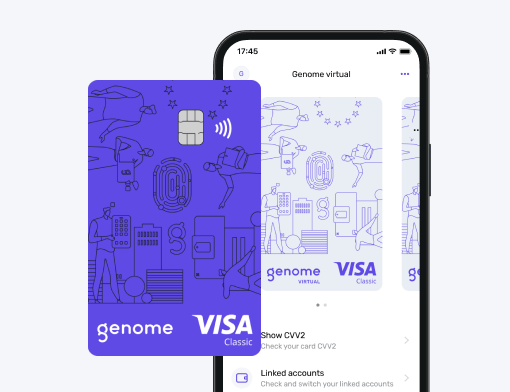
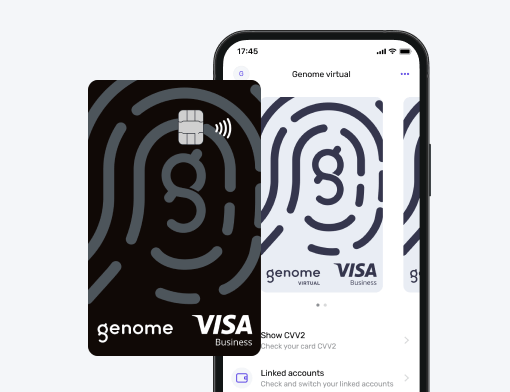
Corporate cards and team tools: Issue physical and virtual corporate Visa debit cards for advertising budgets and operational expenses, with multi-user permissions for your entire finance team.
Complete your setup before launching your store, protect your profit margins, and deliver a frictionless checkout experience that keeps shoppers coming back.